
How do I place an order?Updated 6 months ago
Thank you for your interest in placing an order with Strolleria!
We accept all orders through Strolleria.com, which has an encrypted checkout to protect your credit card information. To ensure your security, we cannot accept phone orders, although we are happy to help by phone.
To place an order online, follow these steps.
1. Find the product you wish to order: Shop by brand or category, or type the name of the item into the search field at the top of the screen.

2. Use the variant options to select variables, such as color or size. Then click the "Add to Cart" button.
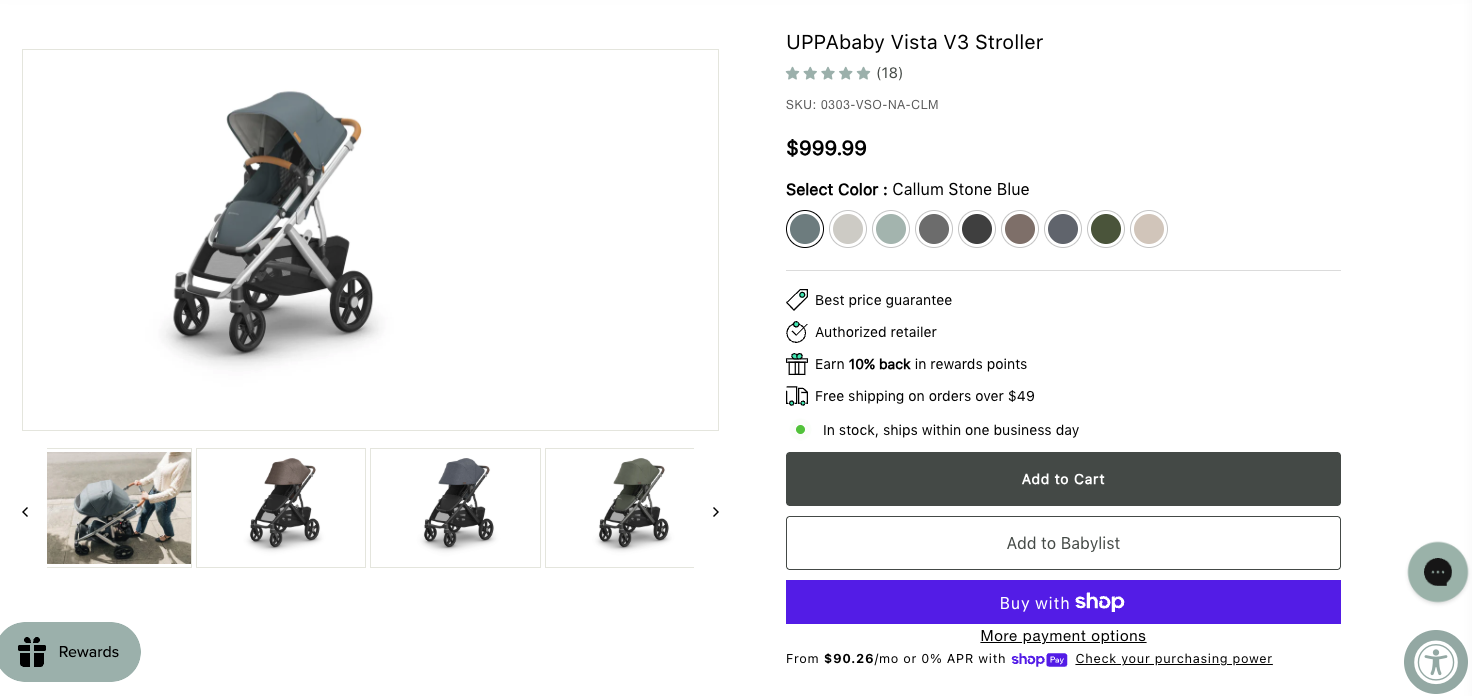
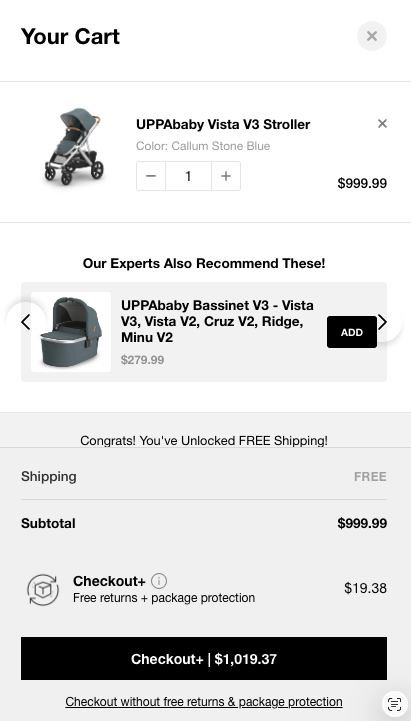
The cart will update on right of your window. Add more items if you're still shopping. If you're ready to complete your order, click "Checkout."
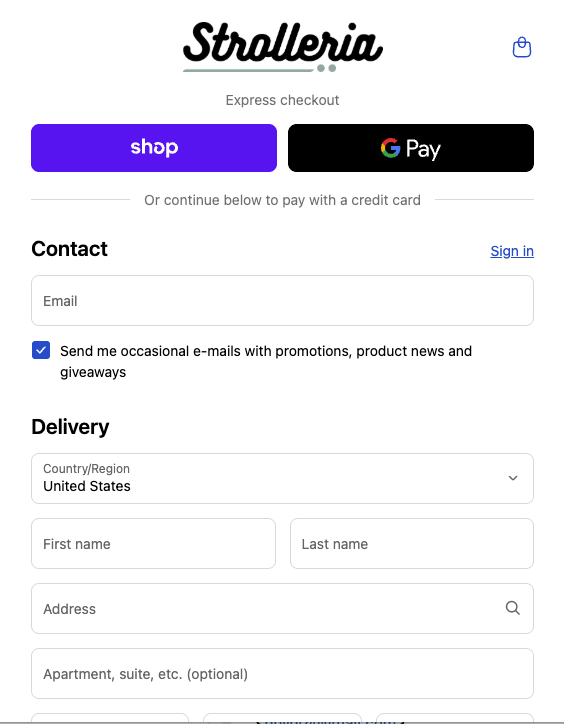
3. On the Checkout page, choose between expedited payment options (such as Shop Pay, Google Pay, Apple Pay, or Affirm) or a credit card.
If you are using a credit card, begin the order by entering your contact information and shipping address, then click "Continue to shipping method." You will have the option to enter a different billing address on the next page.
4. Check to ensure you have entered your information correctly, then proceed by scrolling down to "Payment".
5. Enter your credit card number, expiration date, and the security code listed on your card. You can also choose Shop Pay or Google Pay.
If you are not shipping your order to the billing address associated with your payment method, uncheck "Use shipping address as billing address" and it will give you fields to fill in your billing address.
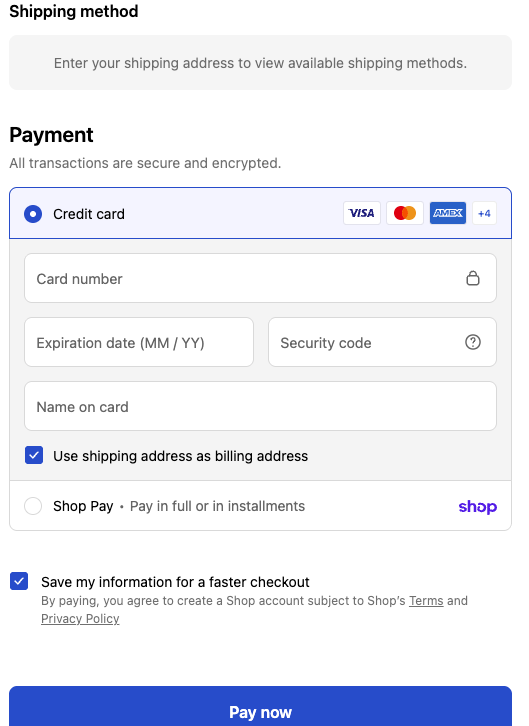
6. Click "Pay now" to make the purchase.
If the order was placed successfully, you will receive an order confirmation e-mail and on your screen.
If you did not receive an order confirmation email, there may have been a problem processing your order. Please contact us if you need help completing your order.